Your WooCommerce store started with 40 products and a free theme. At the time, it was exactly what you needed. You had a small catalog, a few orders each week, and most of your time was spent trying to get customers rather than worrying about how the website was built.
A couple of years later, you have 900 products, five people managing orders, more traffic, more plugins, and customers coming from several different channels.
The business has changed. The website has not.
The homepage takes noticeably longer to load. Product filters sometimes stop working. A new plugin creates strange spacing on category pages. The checkout looks different from the rest of the site. Your mobile store feels cramped, even though the desktop version looks acceptable.
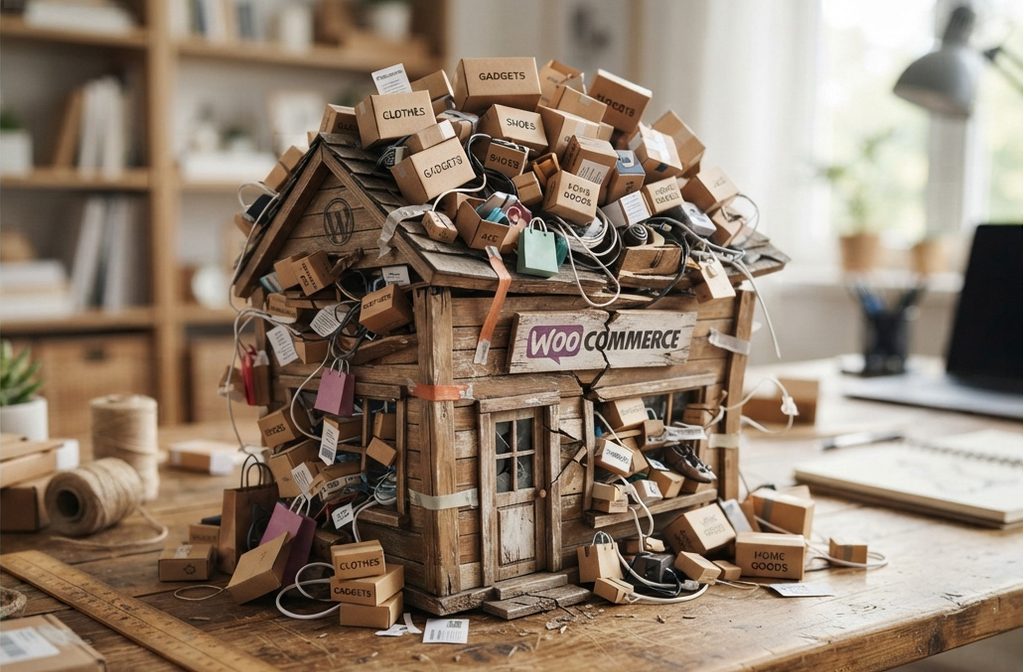
Then you ask your developer to make a small change and hear something like, “We can do it, but I would rather not touch that part of the theme.”
That is usually a sign worth paying attention to.
Signs that your store needs redesign
Your WooCommerce store may not be broken in the obvious sense. Customers can still browse products and place orders. But the theme may no longer be able to support the way your business actually operates.
What Does It Mean to Outgrow a WooCommerce Theme?
Outgrowing a theme is not simply a matter of the design looking old.
A theme controls much more than colors, fonts, and the appearance of your homepage. It affects how products are displayed, how categories are structured, how customers move around the store, how content responds to different screen sizes, and how your WooCommerce features fit together.
When your store is small, a general purpose theme can do a surprisingly good job.
You might have 40 products, three categories, one payment method, and only a handful of plugins. There is not much for the theme to deal with.
As your store grows, the requirements become more specific.
You might now have hundreds of products spread across dozens of categories. Customers may need filters for size, material, color, brand, compatibility, price, or other product attributes. You may have subscriptions, product bundles, advanced shipping rules, reviews, customer accounts, wish lists, stock management, and several marketing integrations.
The theme that was perfectly adequate at the beginning was never necessarily designed for all of that.
This is where the difference between a theme that technically works and a theme that properly supports the business becomes important.
You can keep adding plugins and custom fixes, but eventually you are building around the limitations of the original theme instead of building the store around what customers and staff actually need.
Signs Your WooCommerce Store Needs a Redesign
There is rarely one dramatic moment when a theme suddenly becomes unusable. More often, you notice a series of smaller problems.
Individually, each problem seems manageable.
Together, they tell a different story.
Your store is getting slower as the catalog grows
One of the first things many store owners notice is performance.
The problem often appears gradually. When the store had 40 products, everything loaded quickly. After adding hundreds more products, categories, attributes, images, filters, and plugins, certain pages begin taking longer to appear.
You may eventually search for “why is my WooCommerce store slow with more products” because you cannot understand why a site that used to feel fast now feels heavy.
There are several possible causes of slow WooCommerce performance, including hosting, database queries, image sizes, plugins, caching, and poorly optimized code. The theme can be part of that picture too.
A theme that loads unnecessary scripts, styles, page elements, or functionality across the store can add extra work to every page. That becomes more noticeable as the rest of the site becomes more complex.
The important point is that adding more products should not automatically make the entire shopping experience feel sluggish.
If category pages, search results, product pages, or the homepage are becoming noticeably slower, it is worth looking at the whole architecture of the store rather than simply installing another performance plugin.
Product filters are becoming unreliable
Filters become much more important as a catalog grows.
With 40 products, customers can browse manually. With 900 products, they need help narrowing down their options.
A customer looking for a specific product might want to select a brand, price range, size, material, and color. If the filter system is slow, disappears on mobile, shows incorrect results, or behaves differently on different category pages, customers can quickly become frustrated.
This is especially common when a store has accumulated several plugins that interact with product attributes and the theme’s own category templates.
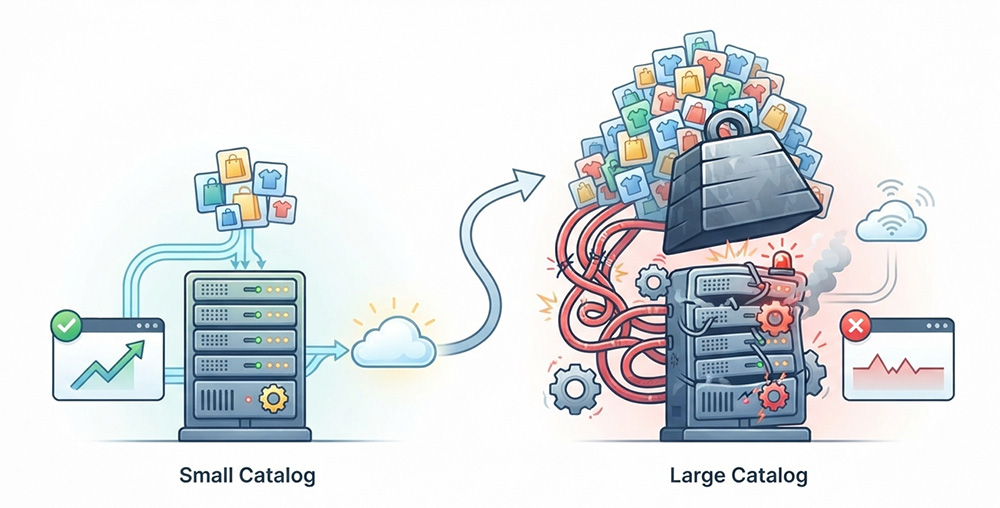
You might search for “WooCommerce product filters not working” after noticing that a filter suddenly stopped appearing after a plugin update.
Sometimes the filter plugin itself is the problem. Sometimes it is a conflict. Sometimes the theme was not designed to handle the way your product catalog is now structured.
The larger question is whether the theme and catalog structure still make sense together.
A growing WooCommerce store needs product discovery to become easier as the catalog becomes larger, not harder.
Your mobile experience feels like an afterthought
A store can look perfectly reasonable on a laptop and still provide a frustrating experience on a phone.
Maybe the navigation takes up too much space. Product images are too large. Filters are difficult to access. Buttons are too close together. Text wraps awkwardly. The product grid shows too few products at a time. Important information is pushed far down the page.
These are common WooCommerce mobile site issues, and they are easy to overlook if most of your store management happens on a desktop computer.
Your customers do not experience the website the same way you do.
They might discover a product through a social media post, open it on their phone, scroll through the images, check the price, look for delivery information, and try to buy it without ever visiting the desktop version.
If that experience feels noticeably worse than the desktop experience, the problem is bigger than an unattractive mobile layout.
It can directly affect sales.
A redesign should not treat mobile as a smaller version of the desktop site. The navigation, product information, filters, buttons, spacing, images, and checkout process all need to make sense within the constraints of a smaller screen.
The website no longer represents the brand you have built
Sometimes the problem is obvious the moment you look at the homepage.
Your business has grown, but the website still looks like the small store you started.
Perhaps your photography is now professional, your products are positioned at a higher price point, and your company has developed a recognizable brand. Yet the website still uses generic typography, an outdated header, crowded sections, and a product layout that looks almost identical to hundreds of other WooCommerce stores.
That disconnect matters.
Customers form an impression of a business from the website before they understand how established the company actually is.
A store selling premium products should not necessarily look like it was assembled from a default theme five years ago. Likewise, a store with a large and carefully organized catalog should not force customers through a generic shopping experience that does not reflect how its products are actually grouped.
Web Design is not just decoration.
It helps customers understand what you sell, why your products are different, and where they should go next.
Every new feature requires another workaround
This is one of the strongest signs that your theme has reached its limits.
You want to add a new product section to the homepage.
The theme does not support it.
You want a different layout for a particular category.
The theme does not make that easy.
You want to change the product information shown on mobile.
You need custom code.
You want the checkout to match the rest of the website.
Another plugin is recommended.
Eventually, every change becomes a workaround.
The store still works, but nobody wants to make changes because each change creates another potential problem.
This is where WooCommerce theme customization limits become expensive in ways that are not always visible on an invoice.
You spend more time explaining what you want, finding something that is “close enough,” testing whether it breaks another feature, and fixing unexpected issues afterward.
Instead of the website supporting the business, the business starts adapting itself to the website.
Your developer is afraid to edit the theme
If a developer or experienced freelancer tells you that they cannot safely edit the theme anymore, do not automatically assume they are being difficult.
They may be seeing something you cannot see.
Older customizations, child theme changes, plugin overrides, outdated templates, duplicated functionality, and previous fixes can create a complicated chain of dependencies.
A developer might be able to make the change you requested, but they may know that touching one template could affect several WooCommerce pages.
This is particularly common with outdated WooCommerce theme problems.
The issue is not necessarily that the theme is old by itself. A theme can be several years old and still be well maintained. The concern is whether its code, templates, integrations, and structure are still suitable for the store you are running.
When simple changes require excessive caution, the cost of maintaining the existing setup can eventually become greater than the cost of rebuilding the relevant parts properly.
Plugins keep breaking parts of the website
Plugins are one of the reasons WooCommerce is so flexible.
They let a small store add functionality without commissioning custom software for every feature.
The problem comes when a growing store depends on too many separate pieces that were never designed to work together.
You add a plugin for product filters and the category page changes.
You update a payment plugin and the checkout spacing breaks.
You install a new marketing tool and something stops displaying correctly on mobile.
You update the theme and an old customization no longer works.
If you have started searching for “WooCommerce theme breaking with new plugins,” you are already seeing this problem from the right angle.
Not every plugin conflict is caused by the theme. But the theme sits close to many parts of the WooCommerce front end, which means its compatibility and implementation can have a major effect on how safely new functionality can be introduced.
When plugin conflicts become a recurring part of running the store, adding more plugins is rarely a sustainable answer.
What About the WooCommerce Admin Panel?
Store owners sometimes assume that the theme cannot have anything to do with an increasingly slow WordPress dashboard.
That is a reasonable assumption because the theme primarily affects the customer facing side of the site.
The admin side can become slow for many reasons, including a large database, orders, product variations, plugins, scheduled tasks, hosting limitations, and poorly optimized queries.
So if you are experiencing a WooCommerce admin panel slow with many products, do not immediately blame the theme.
But it is still a useful warning sign.
A store with hundreds or thousands of products has very different technical requirements from a small store. If the admin area is becoming difficult to use, and the customer facing site is also becoming slower and harder to maintain, it may be time to look at the entire WooCommerce setup rather than treating each symptom separately.
Why Another Cheap Theme Usually Does Not Fix the Problem
When a theme starts causing problems, the obvious reaction is often to search for another theme.
That can make sense when the current theme is genuinely outdated or poorly maintained.
But switching from one inexpensive general purpose theme to another inexpensive general purpose theme does not necessarily solve the underlying issue.
You may get a new visual design, but your product catalog is still the same size.
Your filters still need to work.
Your plugins still need to interact with the site.
Your checkout still needs to fit your brand.
Your customers still need a sensible way to navigate hundreds of products.
Your team still needs a manageable WordPress setup.
If the original problem is that your store has specific requirements that the theme cannot comfortably support, moving those requirements into another generic theme simply starts the same cycle again.
Can a free WooCommerce theme handle a large catalog?
Yes, sometimes.
There is nothing inherently wrong with using a free WooCommerce theme for a large catalog. The question is whether that particular theme, together with your hosting, plugins, customizations, product structure, and design requirements, can support the store properly.
A theme does not become unsuitable simply because the product count reaches a particular number.
The warning signs are functional.
If customers cannot find products easily, if pages are becoming slow, if mobile layouts are poor, if developers cannot safely maintain the code, or if every new requirement creates another workaround, the store has probably moved beyond what the current theme was designed to handle.
What Should Happen Instead?
There are several possible solutions, and replacing the theme is only one of them.
Sometimes the right answer is a proper design overhaul using the existing technical foundation.
Sometimes the theme needs substantial customization.
Sometimes the store needs custom WooCommerce development.
And sometimes rebuilding the front end around the actual catalog structure is the cleaner option.
The right approach depends on why the current setup is struggling.
The first step should be understanding the existing store rather than immediately choosing a new theme.
Someone needs to look at the product structure, templates, plugins, custom code, checkout, navigation, mobile experience, performance, and the way the team uses WordPress.
Then you can decide what should stay, what should be changed, and what should be rebuilt.
That is very different from installing a new theme and hoping the problems disappear.
What Happens If You Ignore the Problem?
A theme that is becoming difficult to maintain rarely becomes easier to maintain on its own.
Small problems tend to accumulate.
A slightly awkward mobile layout becomes a poor shopping experience. A slow category page becomes a performance problem. A plugin conflict becomes a recurring maintenance task. A custom workaround makes the next customization harder.
Eventually, something more serious can happen.
An update can break an important part of the store. A checkout problem can prevent customers from completing orders. A plugin conflict can affect product pages. A performance issue can become severe enough that customers leave before the page finishes loading.
The financial cost is not always obvious.
If ten customers leave because a product page loads too slowly, you may never know they left.
If someone cannot find the right product because the filters are confusing, you may never know that the filter was the reason they abandoned the visit.
If the mobile checkout is awkward, you may see a drop in mobile conversions without realizing that the website experience is responsible.
That is why waiting until the store completely breaks is usually the wrong point to start thinking about a redesign.
How Do I Know If I Need a New WooCommerce Theme?
You do not necessarily need a new theme just because your store has grown.
Look at the pattern of problems instead.
If your site is becoming slower, your catalog is becoming harder to navigate, your mobile experience is poor, your design no longer reflects your brand, your developers are reluctant to modify the theme, and every new feature requires another workaround, you have enough evidence to investigate the underlying architecture.
The key question is not, “Is my theme old?”
It is, “Can my current website structure support the business I am running now?”
That is a much more useful question.
When to Redesign a WooCommerce Store
The best time to redesign is usually before the existing setup becomes a serious business risk.
You do not have to wait for the checkout to stop working or for customers to start complaining.
If the store has grown substantially since the original theme was chosen, it is worth reviewing the site while you still have room to plan the work properly.
A good redesign should consider where the store is today and where it is likely to go next.
That means looking beyond colors and homepage sections.
The catalog structure matters. Product discovery matters. Mobile shopping matters. Checkout matters. Performance matters. The way your team manages the store matters. The ability to add features without creating another technical mess matters too.
A successful redesign should make the store easier to use for customers and easier to maintain for the people running it.
Should You Redesign Your WooCommerce Store or Start Over?
Starting over does not always mean throwing everything away.
Your products, orders, customer accounts, content, SEO work, integrations, and business data may still be perfectly valuable.
The goal is usually to preserve what works and replace what has become a constraint.
That might mean redesigning the front end while keeping the existing WooCommerce installation. It might mean rebuilding the theme and templates while keeping your products and orders. Or, in more complicated cases, it may make sense to rethink parts of the technical setup as well.
The decision should be based on the condition and structure of the existing store, not on the assumption that a completely new website is automatically better.
Where Fiksie Fits Into the Picture
Once a WooCommerce store reaches this stage, the work is no longer simply about choosing a nicer theme.
It becomes a question of how the website should be designed and developed around the business.
That is where Fiksie helps.
Through website redesign and WordPress development services, Fiksie works with businesses that have moved beyond the limitations of an off the shelf setup and need a website that better reflects their current operation.
That can involve rethinking the design, improving the structure of the store, addressing technical limitations, rebuilding parts of the WooCommerce experience, or developing custom functionality where an existing theme or plugin is no longer the right solution.
The point is not to rebuild something simply because the old website looks dated.
The point is to create a WooCommerce store that makes sense for the size of the catalog, the way customers shop, the way the team works, and the direction the business is heading.
If you have reached the point where you are asking why your WooCommerce store is slow, why another plugin has broken something, or whether your theme can keep up with the next stage of growth, those questions are worth answering before the problems become more expensive.
Sometimes the website does not need another patch.
It needs to catch up with the business.
